


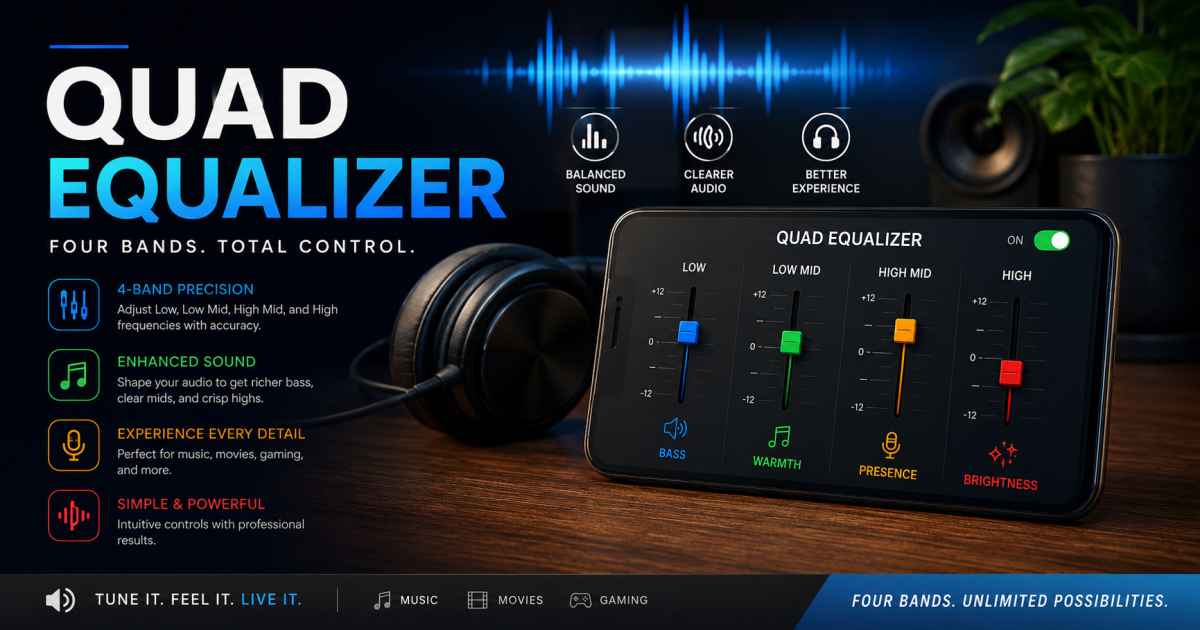
A quad equalizer is an audio equalization concept that divides the audible frequency spectrum into four adjustable frequency bands, allowing listeners to change the balance between bass, midrange, upper-midrange, and treble. Equalizers are used in everything from smartphones and headphones to car stereos, home audio systems, recording software, and professional sound equipment. While advanced parametric equalizers can provide extremely precise control over individual frequencies, a 4-band or quad equalizer offers a simpler approach that can be easier for beginners to understand and faster to adjust. In 2026, equalization remains one of the most useful tools for improving perceived sound because the same recording can sound dramatically different depending on the speakers, headphones, room, listening position, and personal preferences.
People searching for “quad equalizer,” “quad EQ settings,” “4-band equalizer,” “best quad equalizer settings,” or “how to use a quad equalizer” are usually looking for a practical explanation of how the four controls work and how they can be adjusted for different types of music and listening environments. This complete guide explains the fundamentals of quad equalization, the typical frequency ranges, recommended starting points, common mistakes, and how to create a balanced sound without simply turning every control upward.
What Is a Quad Equalizer?
A quad equalizer, also called a 4-band equalizer, is an audio-processing tool that provides four separate controls for adjusting different sections of the frequency spectrum. Instead of controlling dozens of individual frequencies, the user works with four broader areas of sound. Depending on the specific device or software, the four bands might be labeled bass, low-mid, high-mid, and treble, although the exact frequency points vary between manufacturers and applications.
The basic purpose of an equalizer is to change the relative level of selected frequencies. Increasing a band makes that portion of the sound more prominent, while decreasing it makes that range less prominent. For example, increasing the bass region can make drums and low notes feel stronger, while reducing excessive low-mid energy can sometimes make a mix sound less muddy. Raising the treble can increase perceived detail and brightness, but too much can make vocals, cymbals, and other high-frequency material sound harsh. The important point is that a quad equalizer is not automatically a “bass booster.” It is a balancing tool designed to shape the overall frequency response according to the listener’s equipment, content, and preferences.
How Does a Quad Equalizer Work?
To understand how a quad equalizer works, it helps to think about sound as a collection of frequencies. Human hearing covers a broad range, conventionally described as roughly 20 Hz to 20 kHz, although the actual range varies by individual and generally decreases with age. Different instruments and sounds occupy different portions of that spectrum. A kick drum contains substantial low-frequency energy, vocals occupy a broad middle region, guitars and piano extend through the midrange, and cymbals contain significant high-frequency content.
A quad equalizer groups these frequencies into four adjustable sections. A typical configuration might include low bass, low-midrange, high-midrange, and treble, but there is no universal standard for exactly where each band begins and ends. One audio system may use a bass control centered around a relatively low frequency and a treble control centered much higher, while another may use broader filters. The controls can also differ in their filter shape and bandwidth. Consequently, users should always check the specific equalizer’s documentation rather than assuming that every 4-band EQ operates at identical frequencies.
The most important principle is subtractive equalization. Instead of boosting every band to make the audio appear louder, try identifying frequencies that are excessive and reducing them slightly. This can preserve headroom, reduce distortion, and create a cleaner result. Small adjustments often produce a more natural improvement than dramatic changes.
Quad Equalizer Frequency Bands Explained
The bass band generally controls the lowest part of the audible spectrum and influences the physical weight and impact of music. It can affect kick drums, bass guitars, synthesizers, low piano notes, and cinematic effects. Increasing bass can make music sound fuller and more powerful, but excessive bass may produce a boomy or muddy presentation, particularly in rooms or headphones that already emphasize low frequencies.
The low-mid band is particularly important because this region contains substantial information from vocals, guitars, piano, drums, and many other instruments. Too much energy here can make music sound thick, congested, or muddy, while excessive reduction can make the sound thin or unnatural. The high-mid band contributes strongly to vocal presence, instrument clarity, attack, and intelligibility. Increasing it can make important elements stand out, but too much can create an aggressive or tiring sound. Finally, the treble band influences brightness, air, sparkle, and high-frequency detail. Increasing treble may make cymbals and certain vocal details more noticeable, while reducing it can soften a recording that sounds overly bright or harsh.
Because the exact frequencies differ between quad equalizers, these descriptions should be treated as general guidance rather than fixed technical specifications. Always make adjustments while listening to the actual device and content you use.
Best Quad Equalizer Settings for Different Types of Music
There is no single best quad equalizer setting because recordings are mastered differently and every listening system has its own frequency response. A setting that sounds excellent on one pair of headphones may sound excessive on another. Your room acoustics, speaker placement, volume level, and personal hearing also influence the result. Instead of searching for one universal preset, it is better to start close to flat or neutral and make small changes.
For hip-hop, electronic music, and bass-heavy tracks, a modest low-frequency boost may add impact, while keeping the low-midrange under control can prevent the additional bass from making the mix muddy. For rock and metal, the midrange deserves attention because guitars, vocals, and snare drums occupy important middle and upper-middle frequencies. For classical music, jazz, acoustic music, and high-quality recordings, a relatively neutral setting is often the best starting point because excessive bass or treble can alter the natural character of the instruments.
For podcasts and spoken voice, the goal is different. You generally want speech to remain clear and intelligible rather than extremely bass-heavy. Depending on the recording and playback system, a slight reduction in unnecessary low-frequency energy combined with careful control of the midrange may improve clarity. However, avoid aggressive boosts because they can exaggerate microphone noise, sibilance, or room problems.
Quad Equalizer vs Other Types of Equalizers
A quad equalizer offers a useful middle ground between extremely simple tone controls and sophisticated multi-band equalizers. A basic bass-and-treble system gives users only two broad adjustments, which is easy to understand but offers limited control. A 4-band EQ provides additional flexibility by separating the middle frequencies into more manageable sections. This can be enough for everyday listening without overwhelming beginners.
A graphic equalizer can provide considerably more frequency bands, sometimes giving users controls across many fixed frequency points. A parametric equalizer goes further by allowing users to adjust parameters such as center frequency, gain, and bandwidth or Q. These advanced systems are powerful for detailed sound shaping, mixing, room correction, and professional audio work, but they also require greater technical understanding. For ordinary music listening, a quad equalizer can be appealing precisely because it provides useful control without unnecessary complexity.
Common Quad Equalizer Mistakes to Avoid
One of the biggest mistakes beginners make is boosting every frequency band. This may initially seem exciting because the overall sound becomes louder, but it does not necessarily improve audio quality. Excessive boosting can reduce available headroom and potentially contribute to clipping or distortion. A better strategy is to adjust one band at a time and compare the result with the original sound at a similar perceived volume.
Another common mistake is making extreme changes based on a single song. Different recordings have different production characteristics, so an EQ preset optimized for one track may sound poor with another. It is better to test adjustments across several songs that you know well. You should also avoid assuming that brighter always means better or that more bass always means better. Good equalization is about balance, not maximizing one particular frequency range.
Finally, do not ignore the physical listening environment. Speakers placed near walls or corners can produce substantially different bass response from speakers positioned farther away. Headphones can also have pronounced frequency-response characteristics. Before making major EQ changes, make sure the equipment itself is positioned correctly and functioning properly.
How to Create Your Own Quad EQ Preset
Creating a personal quad equalizer preset is relatively straightforward. Begin with all four controls at their neutral positions and play several familiar recordings. Listen specifically for problems rather than immediately trying to make the music sound more impressive. Ask whether the bass sounds weak or excessive, whether vocals are clear, whether instruments feel crowded, and whether high frequencies sound dull or harsh.
Next, make small adjustments, preferably changing only one band at a time. If a change improves the sound, keep it and move to another band. If the result becomes unnatural, return toward the original position. Once you have a setting that works across several recordings, save it as a personal preset. You may eventually create separate profiles for music, movies, gaming, podcasts, and nighttime listening, because each use case can benefit from a different tonal balance.
Remember that EQ cannot fix every audio problem. A poor recording, damaged speaker, bad room acoustics, or low-quality source cannot necessarily be transformed into studio-quality sound simply by changing four sliders. Equalization works best as part of a broader approach to good audio.
Frequently Asked Questions About Quad Equalizer
What is a quad equalizer?
A quad equalizer is a 4-band audio equalizer that allows users to adjust four different sections of the frequency spectrum. The exact bands vary depending on the hardware or software.
What are the four bands on a quad EQ?
A typical quad EQ divides sound into areas corresponding broadly to bass, low-midrange, high-midrange, and treble. However, the precise frequency ranges differ between equalizers.
What are the best quad equalizer settings?
There is no universal best setting. A flat or neutral starting point is usually safest, followed by small adjustments based on your headphones, speakers, room, music, and personal preferences.
Does a quad equalizer improve sound quality?
A quad equalizer can improve perceived sound quality when used appropriately by correcting an unwanted tonal balance or emphasizing desirable characteristics. Poor or excessive adjustments can have the opposite effect.
Is a quad equalizer good for bass?
Yes. A quad EQ normally provides a bass adjustment, allowing users to increase or reduce low-frequency energy. The ideal amount depends on the recording and playback system.
Should I boost or cut frequencies?
Both approaches can work, but small cuts are often preferable to excessive boosts when correcting an unwanted frequency. Always listen carefully after making an adjustment.
Can I use a quad equalizer for headphones?
Yes. A 4-band EQ can be used with headphones, earbuds, speakers, car audio systems, and many software audio players, provided the device or application supports equalization.
Conclusion
A quad equalizer is a straightforward but useful tool for shaping audio through four broad frequency controls. Its simplicity makes it accessible to beginners, while its additional control compared with basic bass-and-treble systems provides enough flexibility for many everyday listening situations. Whether you want stronger bass, clearer vocals, smoother mids, or more controlled treble, the key is to make small, intentional adjustments rather than relying on extreme presets.
The best quad equalizer settings in 2026 are ultimately the settings that work with your specific equipment, recordings, environment, and ears. Start from neutral, identify the problem you want to solve, change one band at a time, and compare the result with the original. With that approach, a quad EQ can become a practical way to personalize your listening experience while avoiding the common mistake of confusing louder sound with better sound.